Catalogue and stock
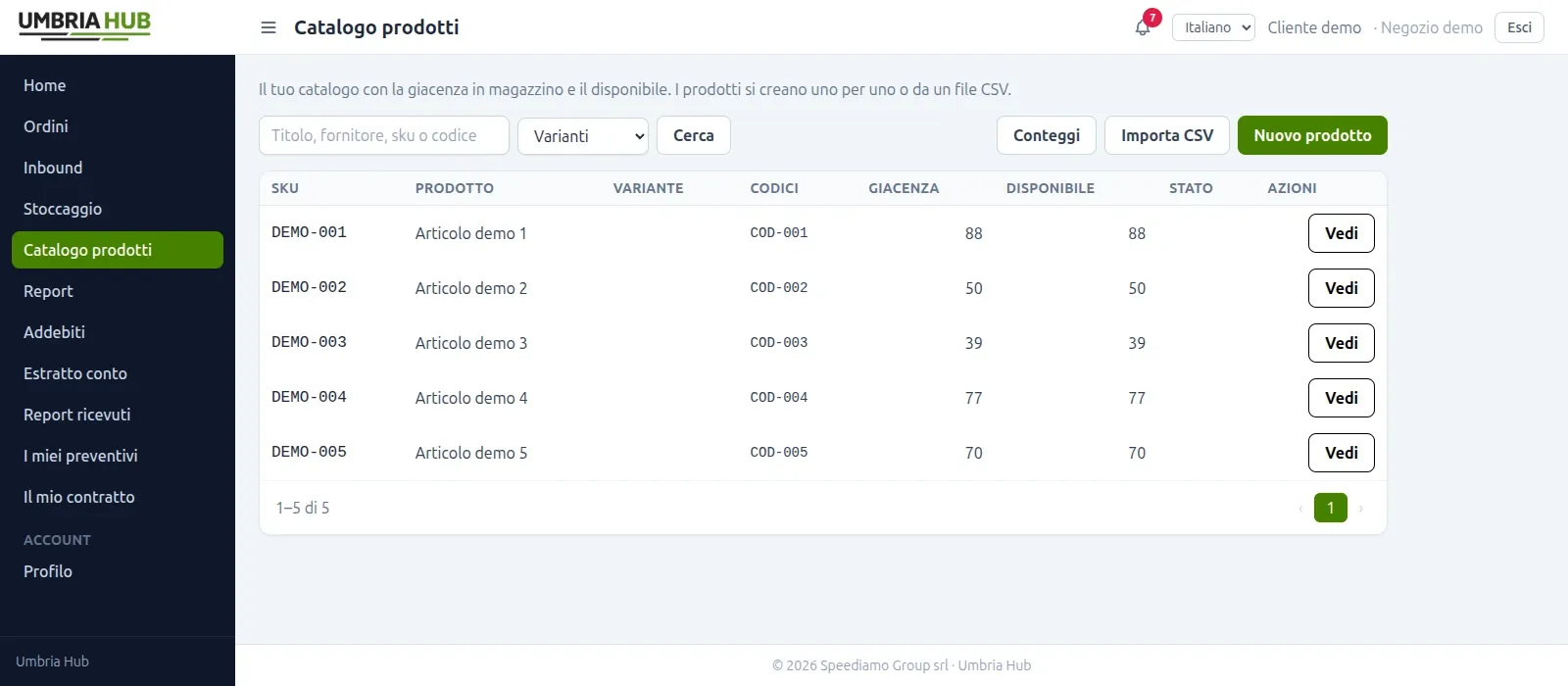
Products, variants and SKUs with stock by site, location and batch. Distinguish physical stock from available quantities and review movements and stock thresholds.
My Umbria Hub · WMS software
Manage your eCommerce logistics with My Umbria Hub, even when you run your own warehouse or work with another logistics provider.
You can choose the software independently of Umbria Hub's logistics service.
One workflow, from your store to your warehouse
Your eCommerce store
Catalogue and orders from your sales channels
My Umbria Hub
Stock, operations and reports in one WMS
Your warehouse
Your team or the logistics provider you choose
Keep control of your logistics
A WMS (Warehouse Management System) connects stock information to warehouse activities. Built around our own logistics workflows, My Umbria Hub helps you coordinate goods receipt, inventory and order preparation for your eCommerce business while keeping control of operations.
You run your own warehouse and want to coordinate stock and orders.
You use spreadsheets and want a searchable movement history.
You sell through several channels and want to connect them to warehouse operations.
The features
A shared operating workflow, with access to information based on each user's role.
Products, variants and SKUs with stock by site, location and batch. Distinguish physical stock from available quantities and review movements and stock thresholds.
Register arrivals, packages and quantities using a scanner. Compare expected and received goods, check differences and process returns through an inbound receipt.
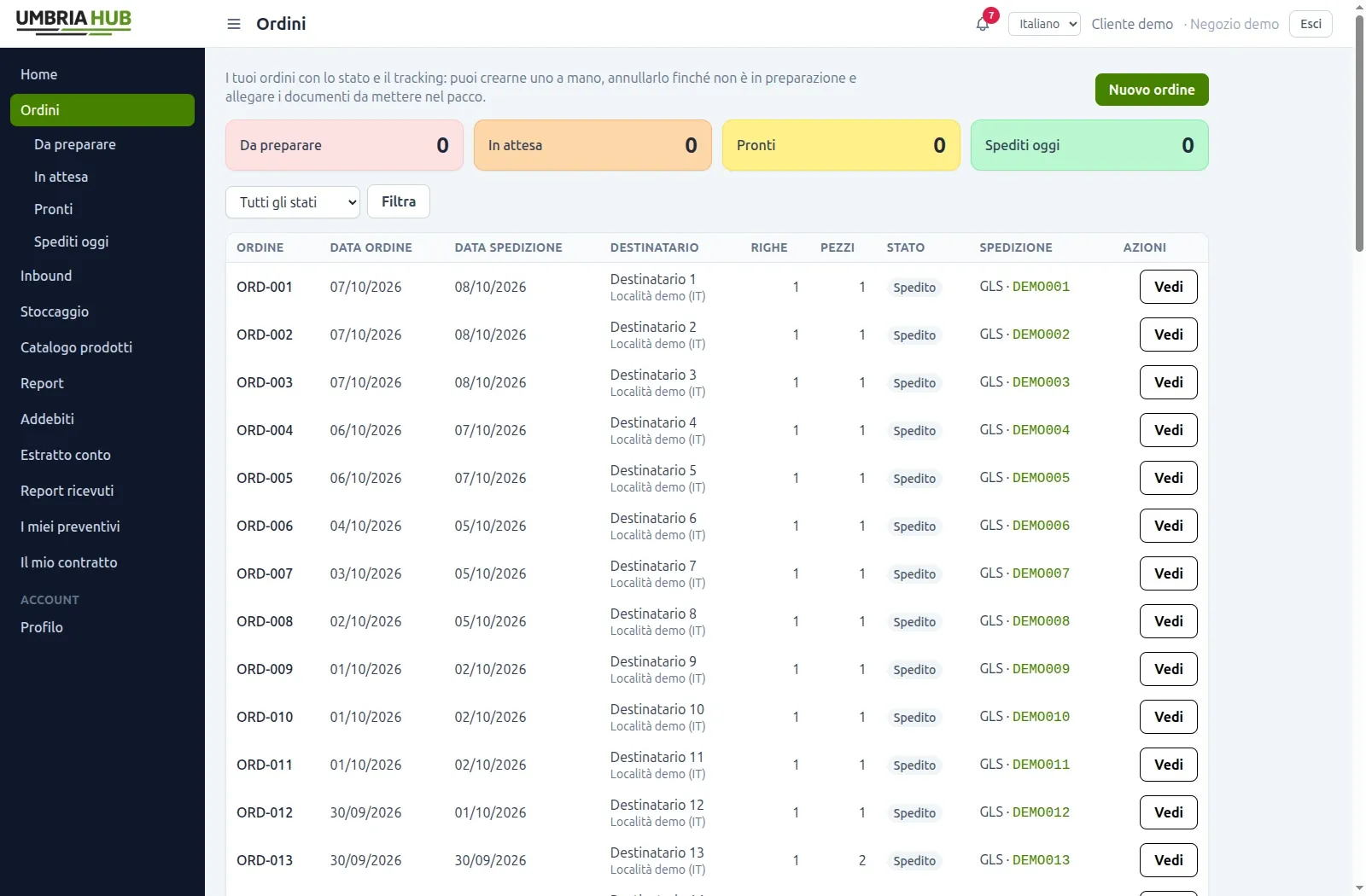
Follow orders awaiting preparation, waiting for stock and ready to ship. Coordinate picking, partial shipments, packing lists and tracking through the outbound workflow.
Use USB or Bluetooth scanners in keyboard mode. Labels, counts, transfers and adjustments connect work on the shelf to warehouse records.
Analyse inbound, outbound, stock and charges by period. Export PDF or Excel reports and review your data without rebuilding it across spreadsheets.
Organise access through groups and permissions. If you handle goods for several customers, each can view their own products, orders and reports in a dedicated portal.
Inside My Umbria Hub
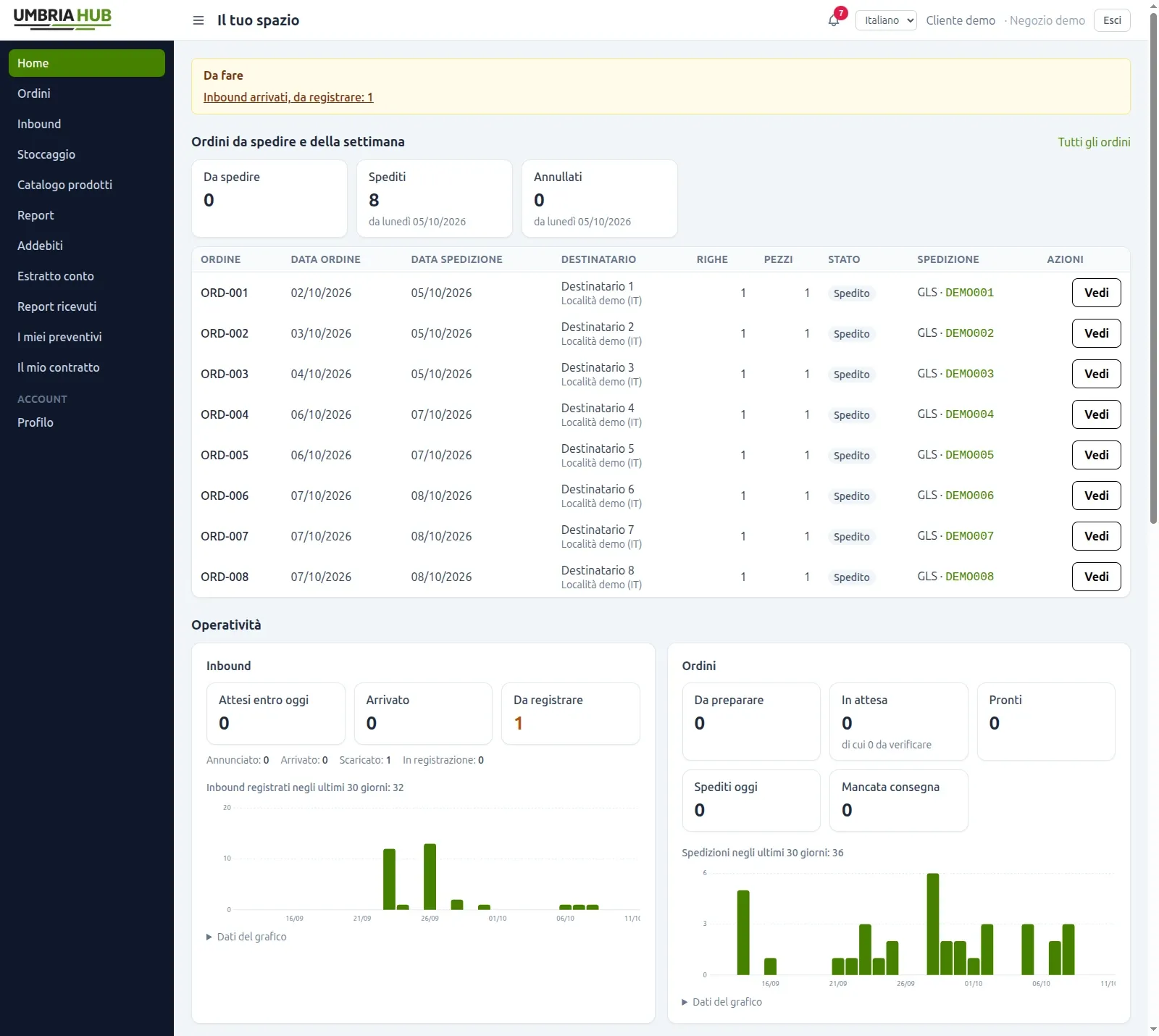
Customer portal screenshots with identifying information anonymised. The interface is also available in English.
Two ways to use it
Choose SaaS with standard features and API connections, or on premise on a server dedicated exclusively to you, with customisations carried out by Umbria Hub.
Ready to use
A ready-to-use platform, accessible through a browser and supplied as it is. You can connect other systems through APIs; software customisation is not available.
Customisations on request
The WMS is installed on a server dedicated exclusively to your business. Umbria Hub carries out the workflow and feature customisations agreed for your warehouse.
During the demo we assess the option that suits your warehouse. The proposal defines costs and setup and, for on premise, the customisations carried out by Umbria Hub.
Connect your tools
The WMS is designed for all the integrations presented on this site, connecting catalogue, orders, stock and tracking. Setup and data flows are defined around the platform you use.
Explore the integrationsDo you use an ERP or a proprietary system? We can assess a connection through APIs and webhooks with the SaaS option too.
Discuss a custom integrationGetting started
Platforms, SKUs, sites, volumes and people: we gather the information needed to understand your workflow.
We show you the activities you need and compare SaaS and on premise against your requirements.
We agree on configuration, catalogue import, integrations and the transition to WMS operations. For on premise, we also define the customisations Umbria Hub will carry out.
Yes. My Umbria Hub can be used as WMS software independently of Umbria Hub's logistics services. You can run operations in your own warehouse or work with another logistics provider, with access and workflows agreed together.
With SaaS, the customer pays to use the platform as it is, with its standard features: API connections are possible, but software customisation is not available. The on premise option installs the WMS on a server dedicated exclusively to the customer and allows workflow and feature customisations carried out by Umbria Hub. The source code is not sold. Setup, costs and maintenance responsibilities are defined in the proposal.
The software supports product import from CSV and Excel with a preview. During setup, we define how to import the catalogue and register opening stock, checking variants, codes, sites and any batches.
Yes. Scanning workflows support USB or Bluetooth scanners in keyboard mode. Codes connect products, locations and packages to receiving, picking and counting activities.
My Umbria Hub is designed for all the integrations presented on this site: Shopify, WooCommerce, Magento, PrestaShop, Ecwid, Wix, Odoo, Amazon and eBay, plus custom connections through APIs and webhooks. Setup, exchanged data and activation requirements are defined around your store's workflows.
Costs depend on the SaaS or on premise option, configuration and the connections required. For on premise, the proposal also includes any customisations carried out by Umbria Hub. Request a demo through the contact form and tell us about your platform, catalogue and current warehouse workflow so we can prepare a proposal for your needs.
Tell us which eCommerce platform you use and how you run your warehouse today. We will show you the software and assess how it fits your operations.
Request a demoWould you also like to explore outsourced warehouse operations? Discover Umbria Hub's eCommerce logistics